
Description
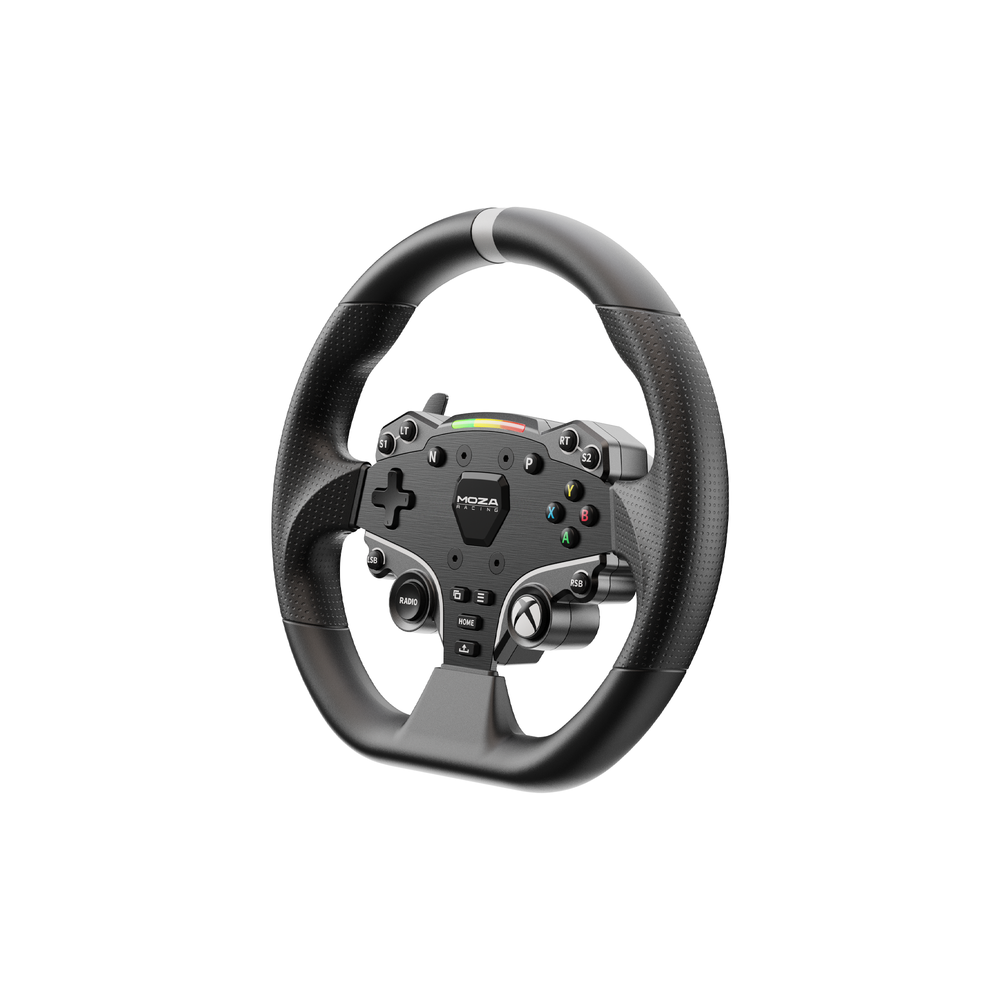
MOZA ESX Steering Wheel for PC & Xbox
Take your sim racing setup to the next level with the MOZA ESX Steering Wheel for PC & Xbox. Designed for racers who want strong control, useful features, and broad platform support, this wheel brings a more engaging driving experience to both PC and Xbox racing.
The ESX combines a solid aluminum alloy design with comfortable ISF PU grips, responsive controls, built-in RPM lighting, and MOZA’s quick-release system. As a result, it is a practical choice for both new sim racers and experienced drivers who want a reliable GT-style wheel for their setup.
More importantly, the ESX carries official Xbox licensing. This makes it a strong option for Xbox racers who want to move beyond a standard game controller and enjoy a more natural steering experience.
Whether you spend your time in circuit racing, GT racing, open-world driving games, or competitive sim racing, the ESX gives you the controls you need without making your setup overly complicated.
Why Choose the MOZA ESX Racing Wheel?
A good racing wheel should do more than look like a real steering wheel. It should give you quick access to important controls while remaining comfortable during long races.
The ESX is designed around this idea.
Its 280 mm size provides a familiar GT-style shape that works well across different types of racing. The aluminum construction also gives the wheel a solid feel in your hands. Meanwhile, the ISF PU grips help provide a secure hold when you are making fast steering corrections.
The wheel also gives you 22 customizable inputs. Therefore, you can keep important commands close to your hands instead of reaching for your keyboard or controller.
For racers who enjoy longer sessions, this can make a real difference.
The result is a wheel that focuses on practical control, comfort, and easy access to racing functions.
MOZA ESX Xbox Steering Wheel
One of the biggest advantages of the ESX is its official Xbox licensing.
For Xbox racers, choosing compatible sim racing hardware can sometimes be confusing. Not every PC racing wheel works directly with Xbox consoles. The ESX is designed specifically to provide Xbox compatibility when used with a supported MOZA wheelbase and setup.
It supports Xbox One and Xbox Series X|S through the appropriate MOZA configuration. This makes it especially useful for drivers who want one wheel that can be part of both their PC and Xbox racing setup.
The wheel can also be switched between Xbox and PC modes. MOZA states that this can be done by holding the S1 and S2 buttons together for five seconds. The wheel’s RPM lighting indicates the active mode.
This simple approach makes moving between platforms easier.
If you already own a compatible MOZA base, the ESX can therefore be an excellent way to expand your racing options without replacing your entire sim racing system.
Xbox Racing Wheel for PC
Although Xbox compatibility is a major feature, the ESX is also made for PC sim racing.
On PC, you can take advantage of MOZA’s software ecosystem to configure your wheel and adjust supported settings. MOZA Pit House provides access to wheel configuration, RPM lighting adjustments, telemetry features, and other setup options.
This makes the wheel suitable for racers who switch between console and PC.
For example, you could use the wheel for Xbox racing when you want a simple console session. Then, you can move to your PC setup for more advanced sim racing and configuration options.
That flexibility makes the ESX a useful choice for a mixed-platform racing setup.
MOZA ESX 280mm Steering Wheel
The 280 mm diameter is one of the key design features of this wheel.
A 280 mm wheel offers a balanced size for many forms of sim racing. It is large enough to feel natural during normal driving while remaining compact enough for quick steering inputs.
The GT-style size is also suitable for a wide range of racing games.
Whether you are driving GT cars, touring cars, sports cars, or other road-focused vehicles, the wheel provides a familiar steering position. It can also work well for casual racing when you simply want a more immersive alternative to a standard controller.
Because the ESX is not excessively large, it can also fit comfortably into many home sim racing setups.
Aluminum Alloy Construction
Durability matters when you are investing in sim racing equipment.
The ESX uses aluminum alloy for its face plate and shifter paddles. This gives the wheel a solid structure while helping it maintain a clean and professional appearance.
A rigid wheel can also help make steering inputs feel more controlled. Instead of relying on a lightweight plastic structure, the ESX is built around a more substantial aluminum design.
This makes it a good match for MOZA direct drive wheelbases.
The wheel is designed to work as part of a wider MOZA ecosystem, so you can build your setup around the equipment you already own and add compatible upgrades later.
Comfortable ISF PU Grips
Long racing sessions can put a lot of stress on your hands.
For this reason, grip comfort is an important part of any racing wheel.
The ESX uses ISF PU grips designed to provide a non-slip and sweat-resistant surface. This helps you maintain a secure grip while racing for longer periods.
The grip material also supports the wheel’s practical design. You do not need an overly complicated material or shape to get useful control. Instead, the wheel focuses on giving your hands a stable place to hold during normal driving and quick steering changes.
This is particularly useful during competitive races where you may need to make several steering corrections in a short period.
MOZA ESX 22 Buttons
Another major advantage is the number of available controls.
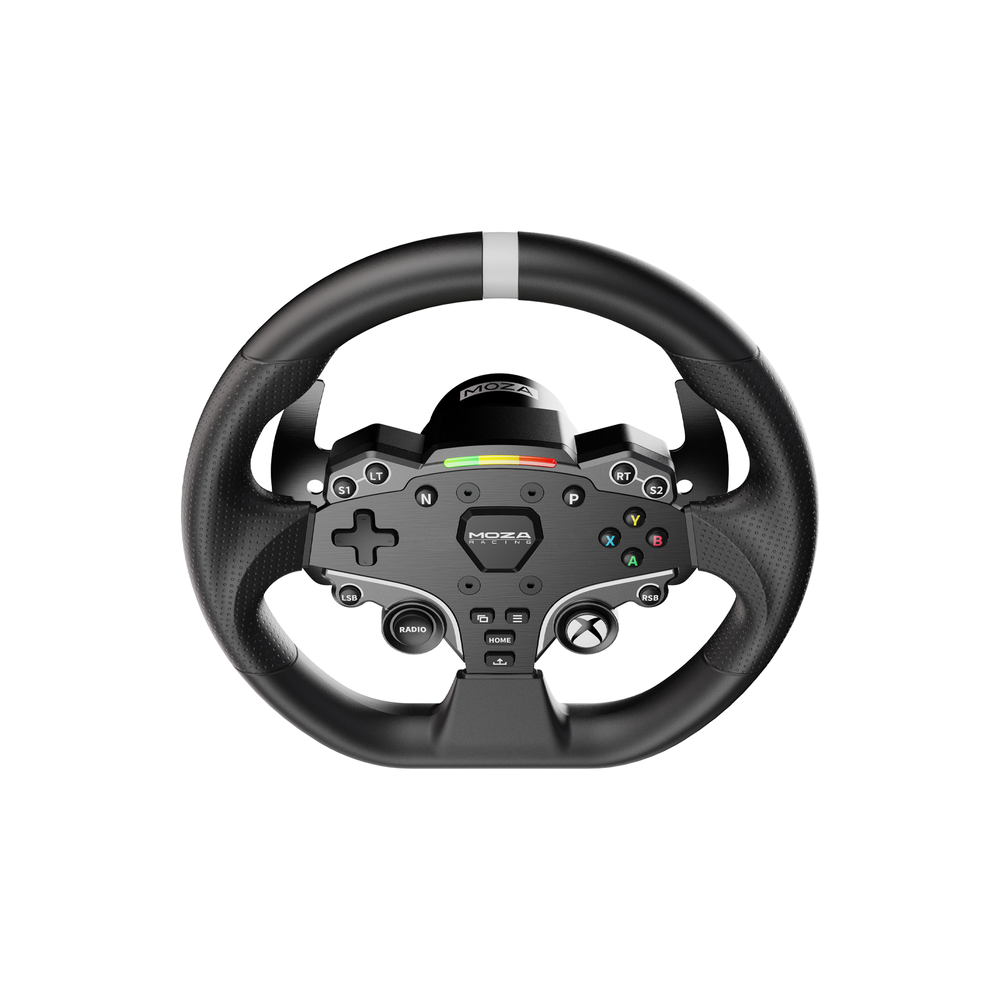
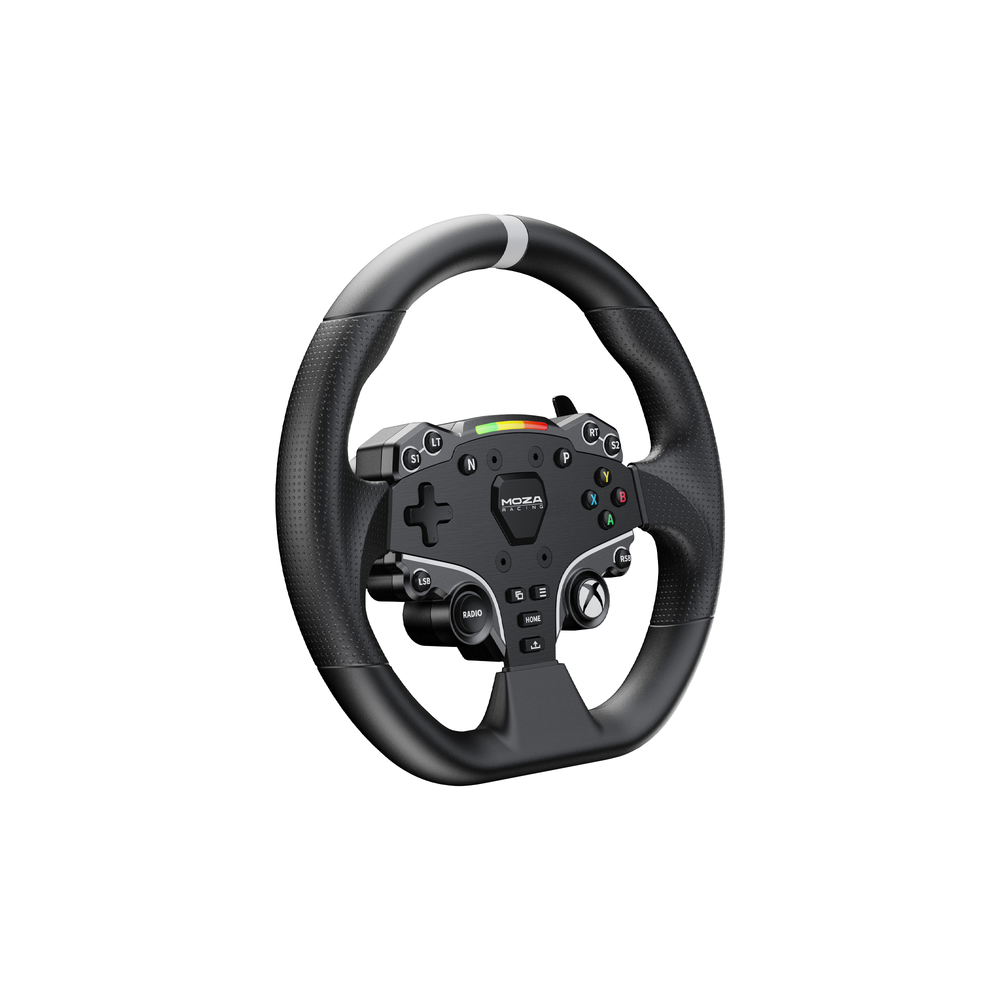
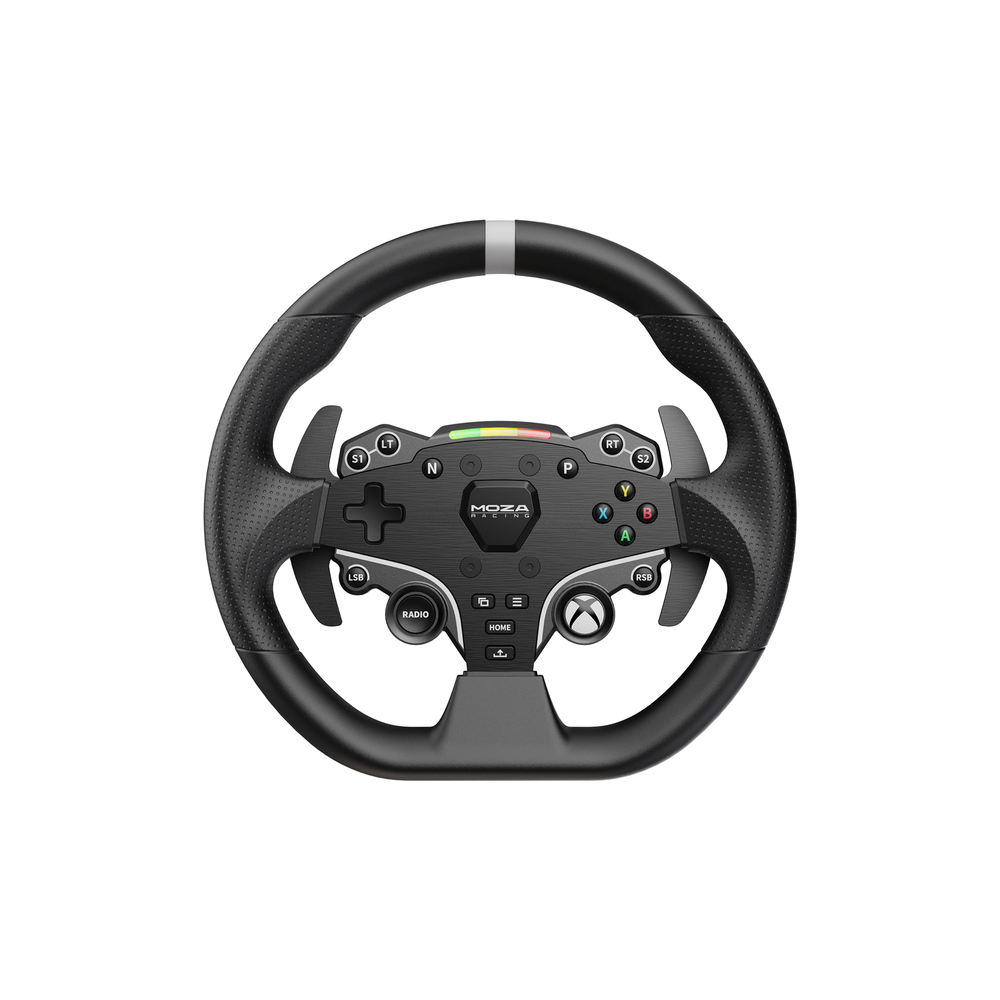
The MOZA ESX provides 22 customizable inputs, including two joysticks. This gives you plenty of space for assigning common racing functions.
You can use the controls for functions such as menu navigation, vehicle settings, camera controls, or other supported game commands.
Having these controls on the wheel can reduce the need to reach for a keyboard or controller while racing.
That means you can stay focused on the track.
For PC racers, this is especially useful in games with many adjustable functions. For Xbox users, it also gives the wheel a familiar controller-like level of access while maintaining a proper racing-wheel layout.
MOZA ESX RPM LED
The wheel includes 10 high-brightness RGB LED lights for RPM and telemetry information.
These lights provide useful visual information while you are driving.
Instead of constantly looking away from the road to check engine speed, the RPM indicator can provide a quick visual reference directly on the wheel.
The LEDs can also add more immersion to your setup.
MOZA supports adjustable RPM LED settings through MOZA Pit House on PC. Therefore, you can configure the lighting to suit your preferences and supported telemetry features.
For competitive drivers, this can be more than a visual feature. A well-positioned shift indicator can help you recognize when it is time to change gear while keeping your attention on the track.
MOZA ESX Quick Release
Changing steering wheels should not be a difficult process.
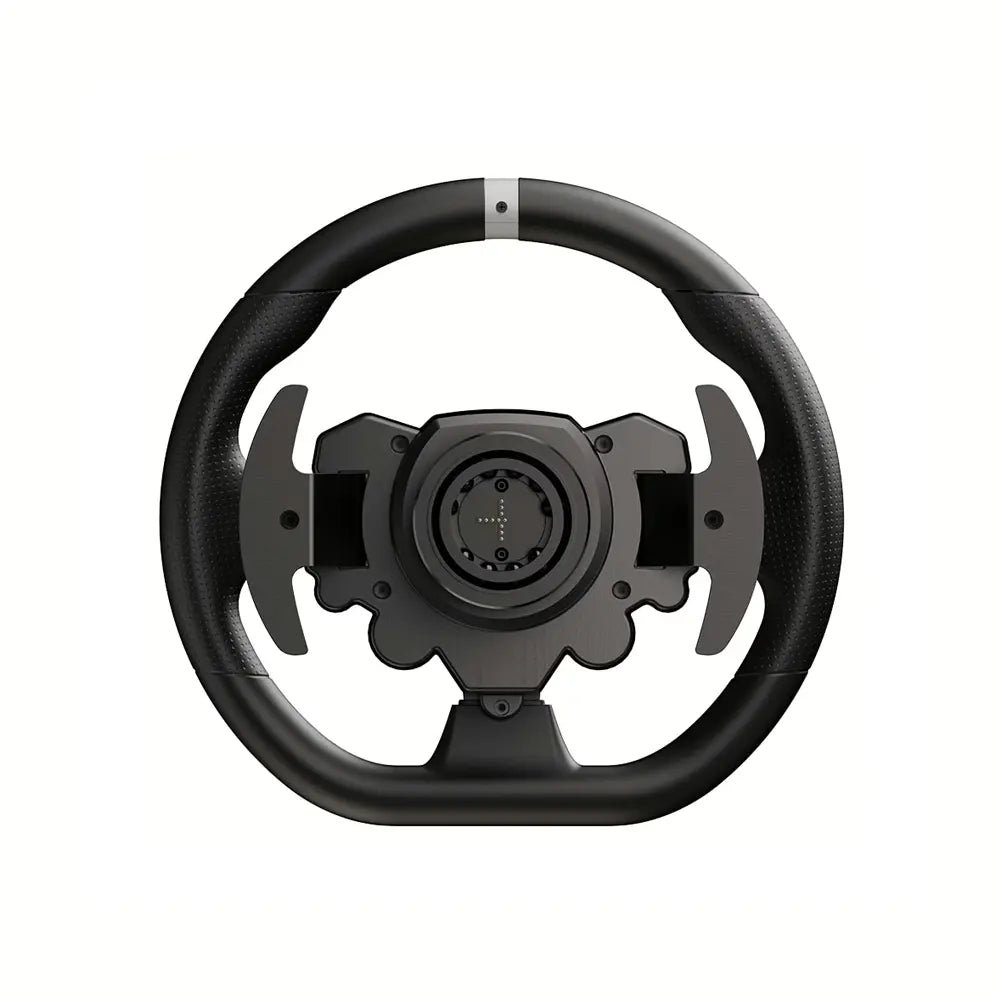
The ESX uses MOZA’s Quick Release system, allowing the wheel to be attached to and removed from a compatible MOZA wheelbase with ease.
This is useful if you have more than one wheel in your sim racing setup.
For example, you may prefer the ESX for GT and road racing while using a different compatible wheel for formula racing. A quick-release system makes changing between compatible wheels much more convenient.
It also supports the modular nature of the MOZA ecosystem.
As your setup develops, you can explore additional compatible wheels and wheel mods instead of having to replace your complete wheelbase.
MOZA ESX Wheel Compatibility
Compatibility is one of the most important things to check before buying sim racing hardware.
The ESX is designed for MOZA wheelbases. MOZA’s current compatibility information lists the ESX as compatible with a range of its wheelbases, including the R3, R5, R9, R12, R16, R21, R21 Ultra, and R25 Ultra.
However, Xbox operation depends on using the correct Xbox-supported configuration.
MOZA specifically explains that the ESX contains the Xbox licensing needed for compatible MOZA setups. The company also confirms Xbox support for configurations such as the R3 Xbox setup and compatible higher-level bases.
Therefore, always check your exact wheelbase and console configuration before ordering.
This is particularly important if you are upgrading an existing sim racing rig.
MOZA ESX Wheel Mods
The ESX is also part of a flexible MOZA ecosystem.
MOZA supports compatible wheel modifications for the ES series. For example, the ESX can be used with the Formula Wheel Mod and the 12-inch Round Wheel Mod.
This gives you more ways to adapt your setup as your racing interests change.
If you mainly drive GT-style cars, you can keep the standard ESX configuration. If you want a different shape or driving feel, compatible wheel mods can provide another option.
This modular approach can also help you get more value from your existing hardware.
Instead of buying a completely new wheel for every type of racing, you can explore compatible upgrades as your needs grow.
Built for Immersive Sim Racing
The best sim racing equipment should help you feel more connected to the car.
The ESX does this through a combination of its physical design and digital features.
The 280 mm wheel provides a familiar steering shape. The aluminum structure gives the wheel a solid feel. The ISF PU grips support comfort. Meanwhile, the 22 inputs and RPM LEDs put useful information and controls within easy reach.
When paired with a compatible MOZA direct drive wheelbase, the wheel becomes part of a larger force-feedback racing system.
The wheel itself does not create force feedback. Instead, the compatible wheelbase provides the force feedback while the ESX acts as the main steering and control interface.
This distinction is important when planning your sim racing setup.
A Practical Choice for Beginners
You do not need to be a professional sim racer to benefit from the ESX.
For beginners, the wheel offers a straightforward way to move from controller-based racing into a dedicated sim racing setup.
The controls are easy to access, the shape is familiar, and the wheel can be used with a range of compatible MOZA bases.
As your skills improve, you can also explore more advanced MOZA equipment.
This means your first wheel does not have to limit your future setup.
Instead, the ESX can become the foundation for a more complete racing system.
A Strong Upgrade for Experienced Racers
The ESX is also useful for experienced racers who want Xbox support or a versatile secondary wheel.
If you already have a MOZA direct drive base, adding the ESX can give you another wheel option without changing your entire system.
The quick-release system makes wheel changes simple, while the 22 controls provide plenty of options for modern racing games.
Moreover, its Xbox licensing makes it particularly attractive to sim racers who use both PC and console.
This combination of flexibility and compatibility is one of the main reasons to consider the ESX.
Key Benefits of the MOZA ESX
Choosing the right steering wheel comes down to how well it fits your racing style and setup.
Here are some of the main benefits of the ESX:
- Official Xbox licensing for supported Xbox setups
- PC and Xbox compatibility
- 280 mm GT-style wheel diameter
- Solid aluminum alloy construction
- Comfortable ISF PU grips
- 22 customizable inputs
- Two integrated joysticks
- 10 high-brightness RGB RPM LEDs
- Intelligent telemetry support
- Adjustable RPM lighting through MOZA Pit House
- MOZA Quick Release system
- Support for compatible ESX wheel mods
- Designed for use with MOZA wheelbases
Together, these features make the wheel a flexible option for home sim racing.
Who Should Buy the MOZA ESX?
The ESX is a strong choice for several types of racers.
Xbox Sim Racers
If you race on Xbox and want a dedicated steering wheel, the official Xbox licensing makes the ESX a natural option when paired with the correct MOZA base.
PC Racers
PC racers can take advantage of MOZA’s software tools, telemetry support, adjustable RPM lighting, and broad control options.
Mixed-Platform Racers
If you use both PC and Xbox, the ESX offers a convenient way to keep one compatible wheel in your setup.
MOZA Owners
Existing MOZA users can benefit from the wheel’s compatibility with supported MOZA bases and the brand’s modular approach.
New Sim Racers
For beginners moving from a controller to a proper racing wheel, the ESX provides a practical combination of comfort, controls, and platform flexibility.
Pair It With a MOZA Direct Drive Wheelbase
A steering wheel is only one part of a complete sim racing system.
For the best experience, pair the ESX with a compatible MOZA direct drive wheelbase.
MOZA offers several bases designed for different levels of sim racing. The R3 provides an accessible entry point, while options such as the R5, R9, R12, and higher-torque bases provide different levels of force-feedback performance. MOZA’s compatibility information confirms ESX support across its current range of compatible bases.
This makes it easier to build a setup around your budget.
You can start with a simpler configuration and upgrade later as your racing experience grows.
Build a Complete Sim Racing Setup
The ESX can also form part of a larger racing setup.
Consider pairing your wheel with:
- A MOZA direct drive wheelbase
- A load-cell or compatible pedal set
- A sturdy sim racing cockpit
- A racing seat
- A sequential shifter or H-pattern shifter
- A handbrake for supported racing games
- A monitor stand or triple-screen setup
A good setup does not need to be completed all at once.
Start with the components that have the biggest effect on your driving experience. Then upgrade as your needs change.
This approach can make building a sim racing rig more affordable and more enjoyable.
Easy Platform Switching
One of the useful features of the ESX is its PC and Xbox mode system.
When switching between platforms, the wheel provides visual feedback through its RPM lights. MOZA explains that holding S1 and S2 for five seconds switches the wheel between Xbox and PC modes.
This helps make the wheel more convenient for users who race across different platforms.
Instead of keeping separate steering wheels for PC and Xbox, a compatible ESX setup can provide a more streamlined solution.
Always make sure your wheelbase and game support the desired platform before racing.
Setup and Configuration
Once the ESX is connected to a compatible MOZA base, configuration can be handled through the MOZA software ecosystem.
PC users can use MOZA Pit House to access supported settings and customize parts of the wheel experience.
This includes features such as RPM LED adjustment and telemetry-related settings.
It is worth spending a little time configuring the wheel before your first serious race.
A well-configured setup can make buttons easier to remember and can help you get more from the wheel’s available features.
For troubleshooting, MOZA also provides support resources for the ESX. These include guidance for force feedback issues, RPM indicator settings, and paddle calibration.
Quality and Reliability
Sim racing equipment needs to handle repeated use.
The ESX is built with an aluminum alloy face plate and aluminum alloy shifter paddles. Its ISF PU grips are designed for a secure, sweat-resistant hold during longer sessions.
These design choices make the wheel suitable for regular home racing.
As with any electronic racing equipment, proper setup and care are important. Keep the wheel and wheelbase securely mounted, follow the manufacturer’s instructions, and use compatible hardware.
For the best long-term experience, also keep your MOZA software and supported firmware up to date.
Shipping and Product Care
Before ordering, check the product listing for current stock, shipping details, and delivery information.
Make sure your delivery information is entered correctly at checkout. Once the product arrives, inspect the packaging and wheel before installation.
Use the supplied components and follow the manufacturer’s setup instructions.
If you are adding the ESX to an existing MOZA setup, confirm compatibility before installation. This is especially important when planning to use the wheel on Xbox.
For international orders, customers should also check local import requirements, taxes, and delivery policies where applicable.
Why Buy From a Specialist Sim Racing Store?
Buying sim racing equipment is about more than choosing a product.
You also want access to the right hardware for your setup.
A specialist sim racing store can help you compare wheelbases, steering wheels, pedals, cockpits, mounts, and other equipment so you can create a setup that fits your driving style.
The goal should always be to choose compatible hardware rather than simply buying the most expensive option.
If you are unsure which MOZA base or accessory is right for your ESX, check the product specifications and compatibility information before completing your purchase.
Frequently Asked Questions
Is the MOZA ESX compatible with Xbox?
Yes. The ESX is officially Xbox licensed and is designed for Xbox One and Xbox Series X|S when used with a supported MOZA configuration.
Can I use the ESX on PC?
Yes. The ESX is designed for both PC and Xbox use. PC users can also access supported configuration features through MOZA Pit House.
What size is the ESX wheel?
The ESX has a 280 mm diameter. This gives it a GT-style size suitable for a wide range of racing games.
How many buttons does the ESX have?
The wheel has 22 customizable inputs, including two joysticks.
Does the ESX have RPM lights?
Yes. It includes 10 high-brightness RGB LEDs for RPM and telemetry information. The lighting can be adjusted through MOZA Pit House on supported setups.
Does the ESX use a quick-release system?
Yes. The wheel uses MOZA’s Quick Release system, allowing it to be removed and changed with a compatible MOZA wheelbase.
Can I use ESX wheel mods?
Yes. MOZA supports compatible ES-series modifications, including the Formula Wheel Mod and 12-inch Round Wheel Mod.
Can I use the ESX with any wheelbase?
The ESX is designed for MOZA wheelbases. MOZA’s compatibility chart lists the ESX as compatible with multiple current MOZA wheelbases. Always confirm the exact model before purchasing.
Can I use the ESX on PlayStation?
MOZA’s current support information states that its products do not officially support PlayStation 4 or PlayStation 5. Therefore, the ESX should be purchased for supported PC and Xbox configurations rather than PlayStation use.
Upgrade Your Racing Experience
A dedicated steering wheel can change the way you interact with racing games.
Instead of using a traditional controller, you gain a larger steering interface, physical paddles, dedicated controls, and a more natural driving position.
The ESX takes this further by combining PC and Xbox support with a strong aluminum structure, comfortable grips, customizable controls, RPM lighting, and MOZA’s quick-release system.
For Xbox racers, the official licensing is especially important.
For PC racers, the combination of MOZA hardware and software provides additional room for customization.
And for existing MOZA users, the ESX offers another flexible wheel option for a compatible setup.
Order Your MOZA ESX Steering Wheel Today
If you are ready to make your racing setup more immersive, the MOZA ESX Steering Wheel for PC & Xbox is a practical upgrade.
Its 280 mm GT-style design, 22 customizable inputs, RGB RPM LEDs, aluminum construction, and comfortable grips make it suitable for a wide range of racing styles.
At the same time, official Xbox licensing gives console racers a dedicated option for compatible MOZA setups.
Whether you are starting your first sim racing rig or expanding an existing MOZA setup, the ESX gives you a strong balance of control, comfort, and flexibility.
Choose the right compatible MOZA wheelbase, install the ESX, configure your controls, and get ready to put more control in your hands.
Upgrade your sim racing setup today with the MOZA ESX and enjoy a more connected driving experience on PC and supported Xbox systems.


Reviews
There are no reviews yet.